March 6th, 2026
How to See Which Companies Are Viewing Your LinkedIn Ads
LinkedIn Campaign Manager shows company impression data, but only in aggregate. Here's how to get per-campaign, per-company data and connect it to your CRM deals.
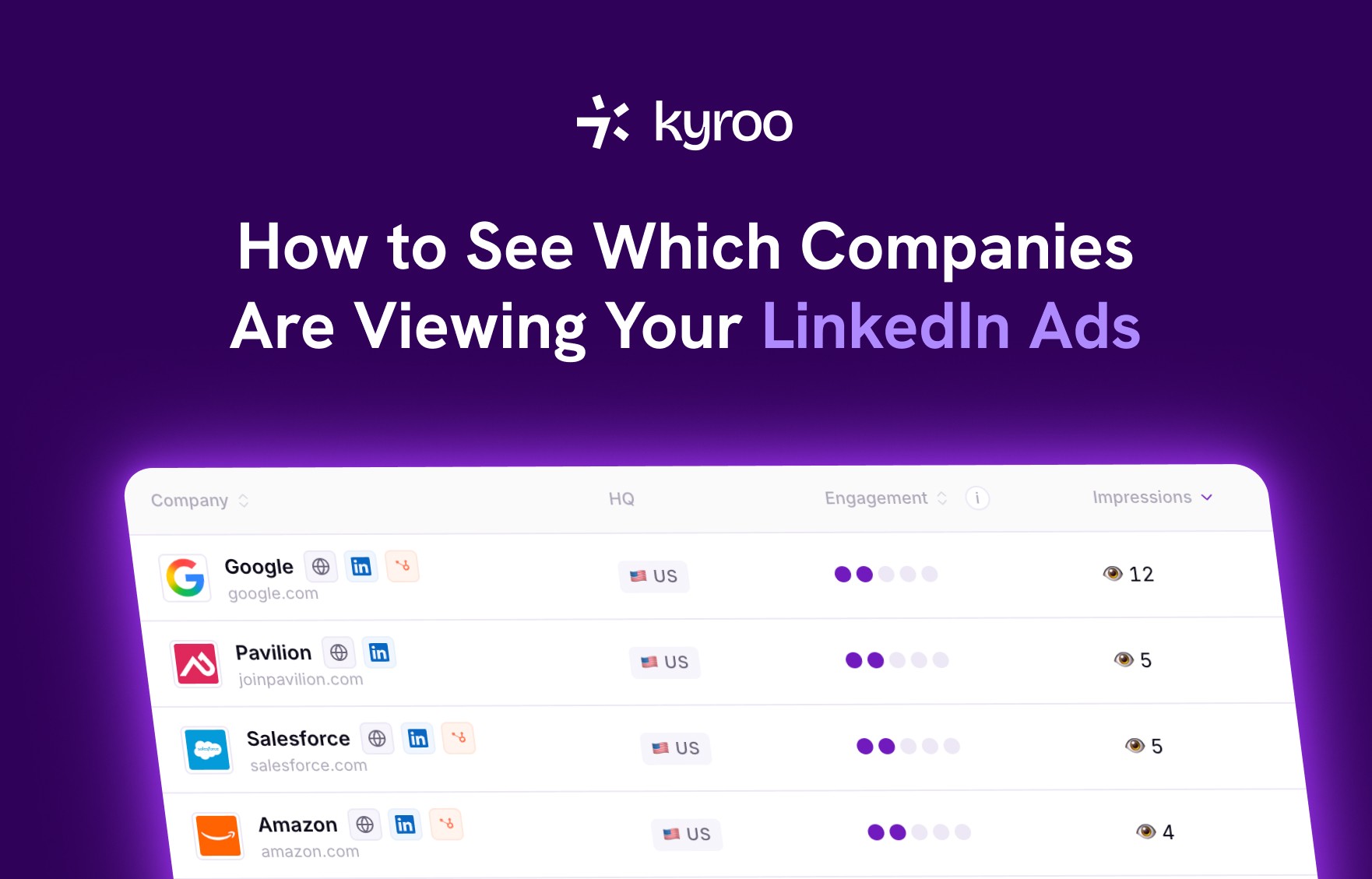
LinkedIn does actually show you which companies are seeing your ads. Most people running LinkedIn campaigns either don't know this exists or have found it and been frustrated by how limited it is.
Here's what LinkedIn natively provides, why it falls short, and how to get the complete picture.
What LinkedIn Campaign Manager shows you
Inside Campaign Manager, go to Plan in the left sidebar and select Companies. You'll see a table listing companies whose employees saw your ads during the selected period, along with impression counts, click counts, and engagement data.
This is LinkedIn's Company Engagement Report. It's genuinely useful and completely free. You don't need any third-party tool to access it. You do need your LinkedIn Page connected to your ad account, and you can only view reporting windows of 7, 30, 60, or 90 days.
The data comes directly from LinkedIn's adAnalyticsV2 API using a pivot=MEMBER_COMPANY parameter, which groups impressions by the employer of the person who saw the ad. So when the Head of Marketing at Acme Corp sees your sponsored content, that impression gets attributed to Acme Corp as a company, not to the individual.
For B2B marketing teams, this is the data that actually matters. You're not trying to reach individuals, you're trying to reach buying committees at target accounts. Knowing that Atlassian employees have seen your ads 47 times this month is far more useful than knowing your overall CTR.
The three problems with LinkedIn's native view
The Companies tab is a start. It's not a solution.
Problem 1: It's aggregated across all campaigns.
LinkedIn shows you that Company X saw your ads 38 times. What it doesn't show is which campaign drove those impressions. If you're running an awareness campaign, a retargeting campaign, and a competitor-targeting campaign simultaneously, you have no way of knowing which one reached Company X. That distinction matters enormously for understanding what's actually working.
Problem 2: There's no CRM connection.
The Companies tab lives entirely inside Campaign Manager. There's no way to cross-reference it against your HubSpot deals. You might see that Salesforce has received 52 impressions from your ads, but unless you manually check your CRM, you won't know whether Salesforce is an active opportunity, a closed deal, a lost deal, or a company you've never spoken to. The data exists in two completely separate places.
Problem 3: The window is limited.
LinkedIn only lets you look back 90 days in the Companies tab. B2B sales cycles regularly span six months or more. If a company that saw your ads in January closes a deal in August, LinkedIn's native reporting will never connect those two events.
Why per-campaign data changes everything
The aggregated view tells you that Company X saw your ads. Per-campaign data tells you which message Company X saw, and how many times.
This matters because different campaigns mean different things. A company that saw your competitor-targeting campaign 20 times is showing different intent signals than a company that saw your brand awareness campaign 20 times. One is being actively targeted and responding. The other might be coincidental reach.
LinkedIn's API does support per-campaign company impression data. You can query the adAnalyticsV2 endpoint with both pivot=MEMBER_COMPANY and a specific campaign ID, and it returns exactly which companies that specific campaign reached. LinkedIn's Campaign Manager just doesn't surface this in the UI. You get the aggregated account-level view, not the campaign-level breakdown.
Connecting impression data to your deals
Once you have company-level impression data, the next question is obvious: which of these companies have open deals in my CRM?
This is where the real value is. Not just knowing that Notion has seen your ads, but knowing that Notion is currently a live opportunity in your pipeline and has been reached by your ads 28 times in the last 60 days across three different campaigns.
Making that connection requires matching LinkedIn company data to CRM records by domain. LinkedIn returns company identifiers, not CRM IDs. The matching logic needs to normalise domains on both sides (LinkedIn sometimes returns subsidiary domains, HubSpot sometimes stores domains with inconsistent capitalisation) and then join the two datasets.
Once the join works, you get something Campaign Manager can't give you: a deal-by-deal view of ad influence. For each open opportunity in your CRM, you can see whether the associated company has received impressions from your ads, which campaigns reached them, how many times, and across what date range.
This turns a number in a table into an actionable insight. A deal that has been receiving increasing ad impressions over the last 30 days while sitting at the proposal stage tells you something different from a deal that hasn't been reached by your campaigns at all.
Setting an impression threshold
Not every impression is meaningful. A company that received a single accidental impression months ago shouldn't be counted as influenced by your ads. This is why attribution tools use an impression threshold: a minimum number of impressions a company needs to receive before a connected deal is counted as ad-influenced.
The right threshold depends on your campaign volume and target account size. For most B2B LinkedIn campaigns, 8 impressions over a 90-day window is a reasonable starting point. That's enough to establish genuine reach without being so low that noise creeps into your attribution data.
Changing the threshold changes the attribution numbers significantly. Lowering it inflates influenced pipeline figures. Raising it gives you a more conservative, defensible number. The ability to configure and adjust this is one reason attribution tools handle this better than manual analysis.
What this looks like in practice
Here's a concrete example. Your CRM has 150 open deals. LinkedIn Campaign Manager shows you a list of companies that have seen your ads, but it's a flat list with no CRM context.
With company-level impression data joined to your CRM:
68 of those 150 deals involve companies that have received at least 8 LinkedIn impressions in the last 90 days
23 of those 68 are currently in late-stage pipeline (proposal or negotiation)
Your competitor-targeting campaign is responsible for reaching 41 of the 68 influenced companies
Your TOFU awareness campaign has broad reach but only overlaps with 12 pipeline companies
That's not a report you can build from Campaign Manager's native interface. It requires connecting two data sources that LinkedIn and HubSpot deliberately keep separate.
How Kyroo does this
Kyroo connects LinkedIn Ads to HubSpot and builds exactly this view. It queries LinkedIn's API per campaign to get per-company impression data, matches companies to HubSpot records by domain, applies a configurable impression threshold, and surfaces the result as a deal-by-deal attribution report.
The Companies page in Kyroo shows every company your ads have reached, with impressions broken down by campaign, engagement scores, deal stage, pipeline value, and the date of first and last impression. The deal timeline shows you the full history: which campaigns reached the company, on which dates, alongside the deal's stage progression in HubSpot.
Setup takes about two minutes. There's a free 30-day trial at app.getkyroo.com.
The short version
LinkedIn does let you see which companies are viewing your ads. The Companies tab in Campaign Manager is the starting point. But it shows aggregated account-level data with no campaign breakdown, no CRM connection, and a 90-day lookback limit.
Per-campaign company impression data, matched to your CRM deals with a sensible attribution threshold, is what turns that list of company names into something you can actually act on.
One platform.
Full visibility.

Your ad spend, connected
Kyroo pulls every campaign, every company reached, every impression, and every engagement.

Your pipeline, explained
Kyroo joins your ad data to your pipeline so you know which campaigns influenced which revenue.

Your team, always in the loop
Real-time alerts in the channels your team already uses. Know when a target account heats up the moment it happens.